Option 2: Use the Network Sensor AMI
The Network Sensor AMI allows you to skip some of the manual steps involved in deploying the sensor because it comes preloaded with Amazon Linux 2023 and the Network Sensor.
To deploy using the Network Sensor AMI:
- Open the AWS console. From the Services page, select EC2 and click AMIs on the left menu.
- Select Private Images and search for Rapid7 AWS Network Sensor for Insight IDR.
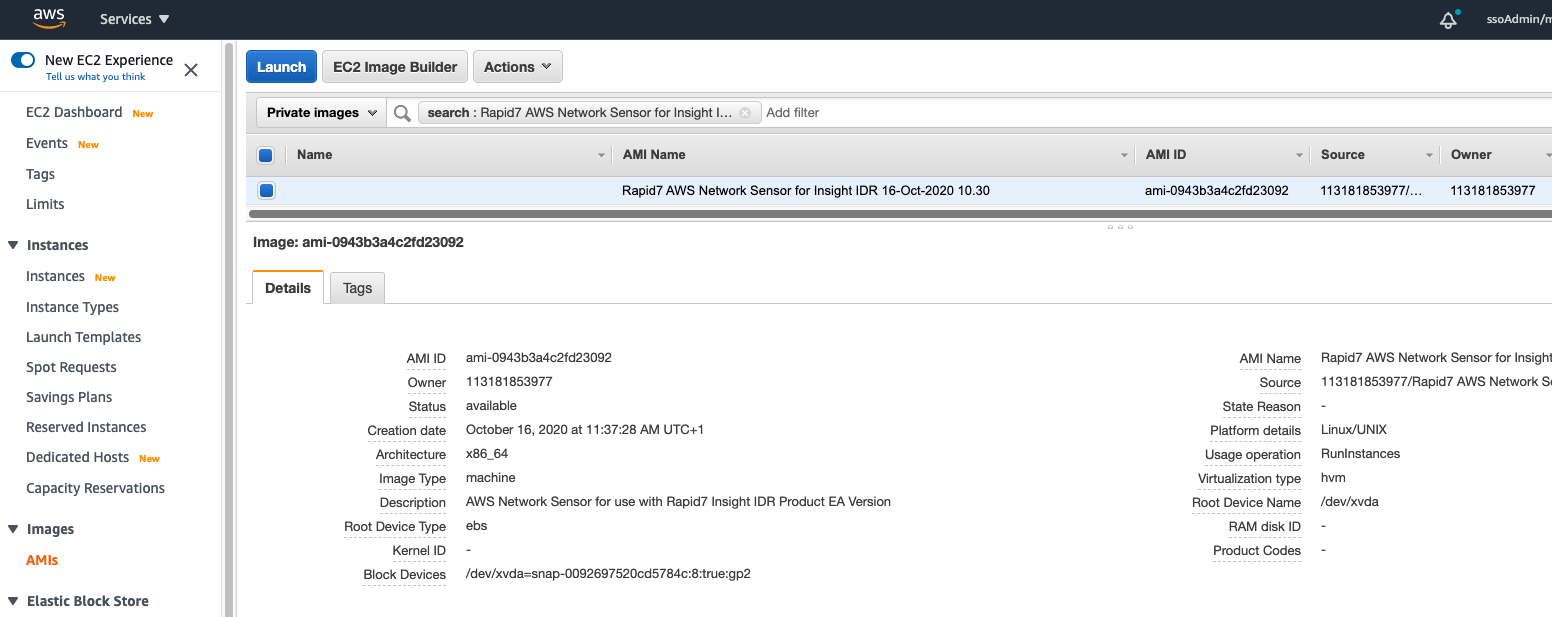
- Select the AMI and click Launch instance from AMI.
- In the Launch an instance page, configure the following:
a. Under Name and tags, give the instance a meaningful name and add any desired tags.
b. Under Instance type, select t3.xlarge.
c. Under Key pair (login), select an appropriate key pair.
d. Under Network settings, click Edit and configure:
- Select the correct VPC to deploy the sensor.
- Select the subnet for the Platform Comms interface.
- Select an existing security group and choose the Platform Comms Security Group. e. Under Advanced network configuration, click Add network interface to add a second interface for Mirror Traffic and select the Mirror Traffic Subnet. f. Under Advanced details, locate the User data field and enter the Command Platform (Insight Platform) install token as follows:
TOKEN=us:dbbbb4e8e-239e4-475a-8b73-0df7feed3d0f
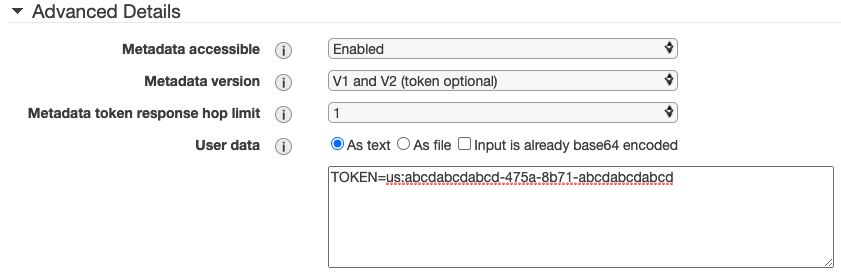
- Review your configuration and click Launch instance.
- Allow the instance to finish launching.
✅
Complete your configuration
Now that you’ve deployed using the Network Sensor AMI, you’ll need to complete the configuration in Insight Data Collection Management.