Managing single sign on
Metasploit Pro supports single sign on (SSO) using SAML 2.0. This allows users to log in to Metasploit Pro using their existing credentials from an identity provider (IdP) that supports SAML 2.0, such as Okta, OneLogin, or Microsoft Azure AD, etc.
The examples in the screenshots below are for configuring Okta as the IdP, but the general steps will be similar for other IdPs.
The exact steps for this will vary depending on the IdP you are using, but generally, you will need to:
- Log in to your IdP and navigate to the section for creating new applications or integrations.
- Choose the option to create a new SAML 2.0 application.
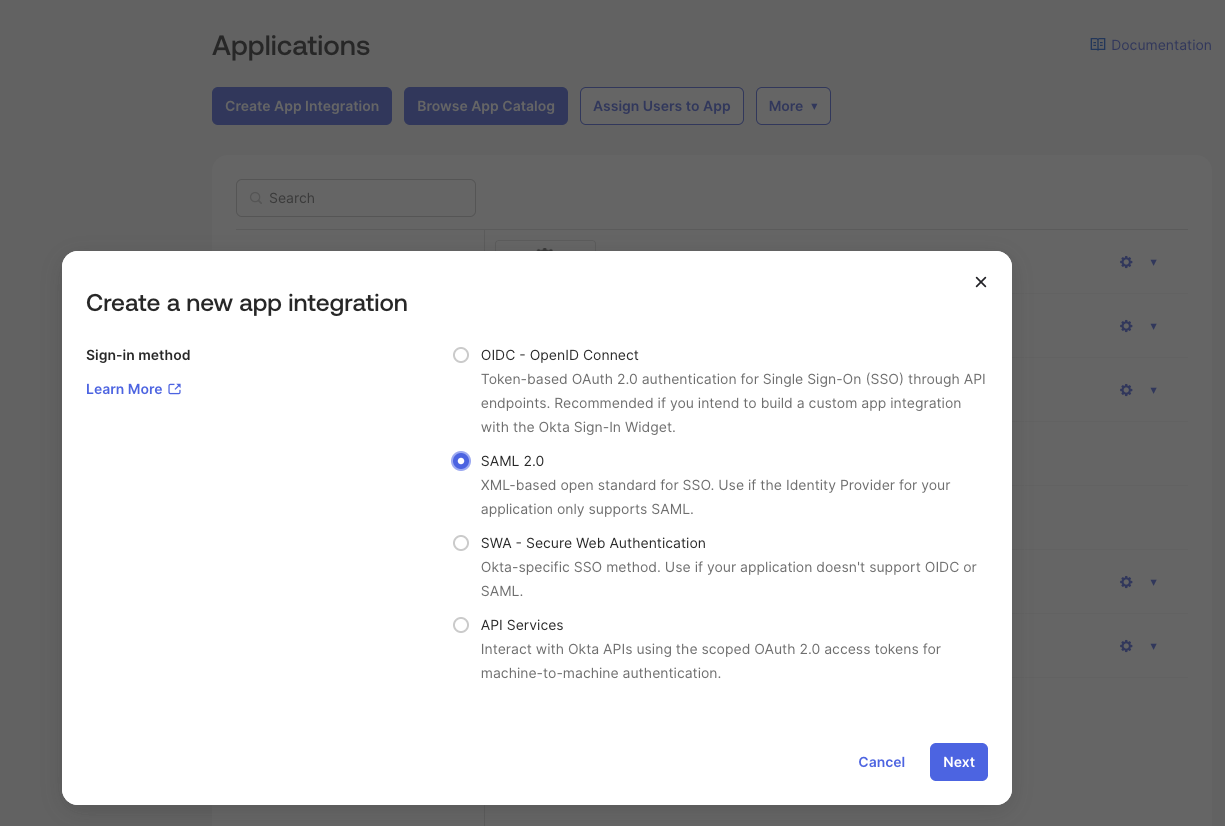
- Provide the necessary information for the application, such as the name and description. You may also need to provide the URL for your Metasploit Pro instance and the SAML settings that will be used to configure Metasploit Pro. You can gather the SAML settings from the Metasploit Pro SSO configuration page, which is located under Global Settings > SSO Configuration.
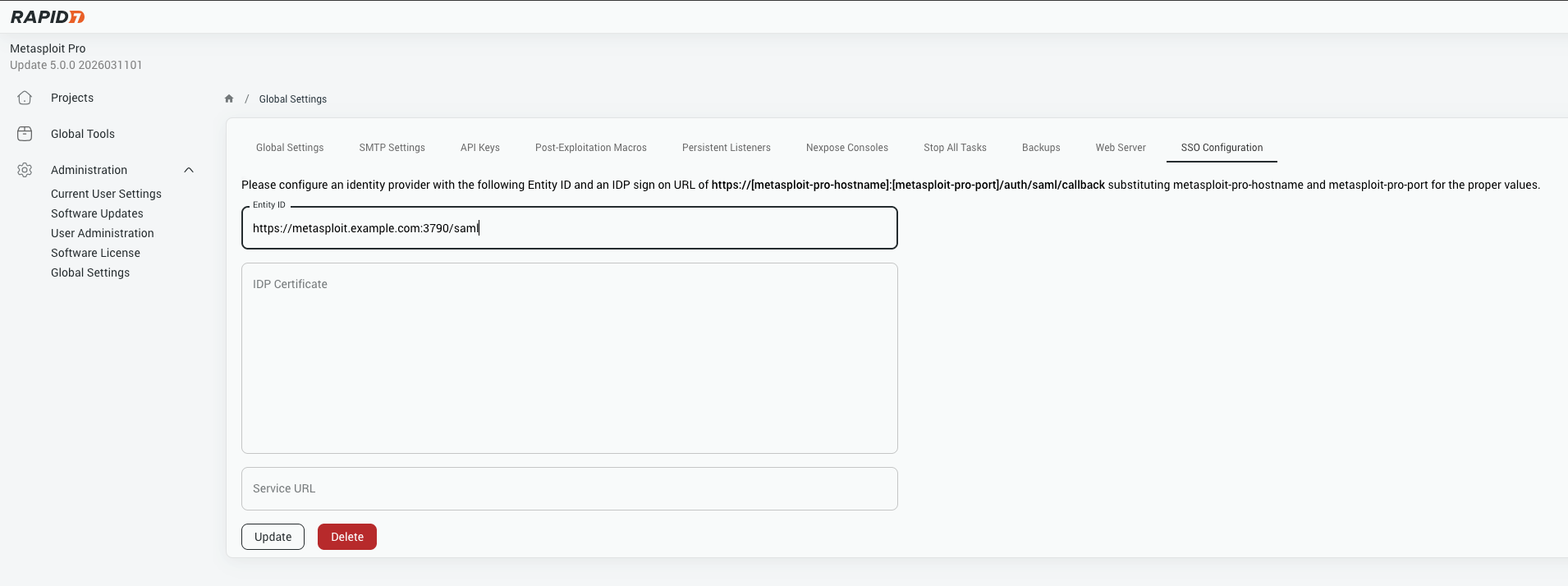
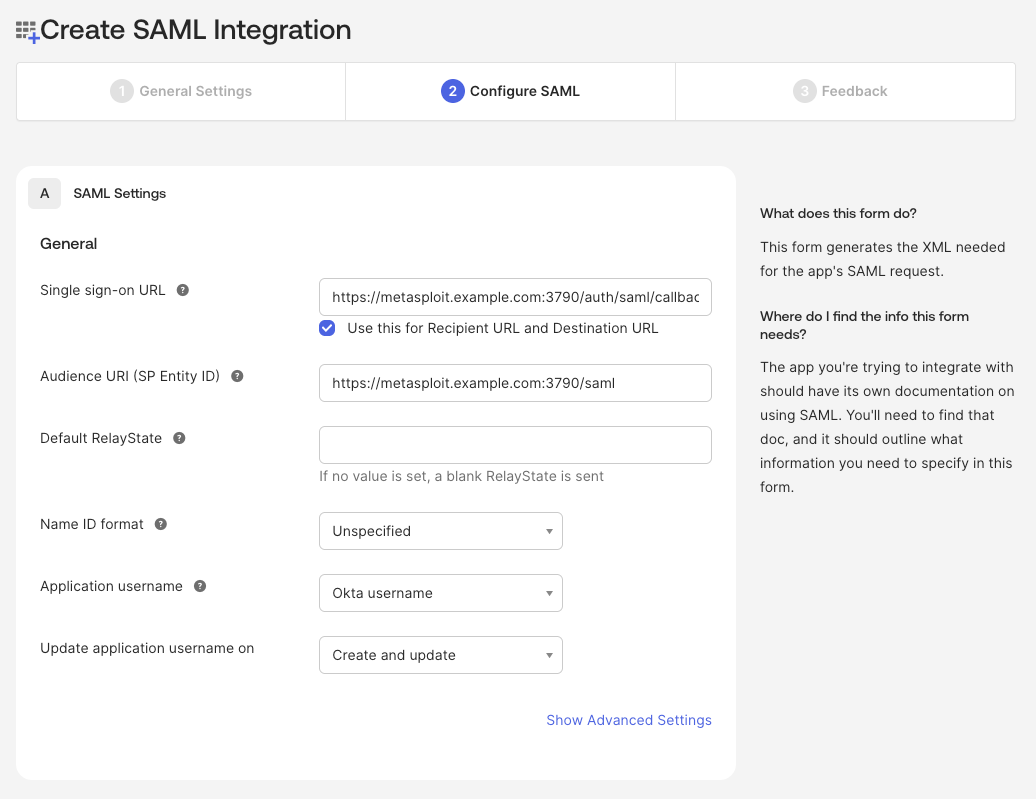
- Save the application and note the SAML settings that are provided, as you will need these to configure Metasploit Pro.
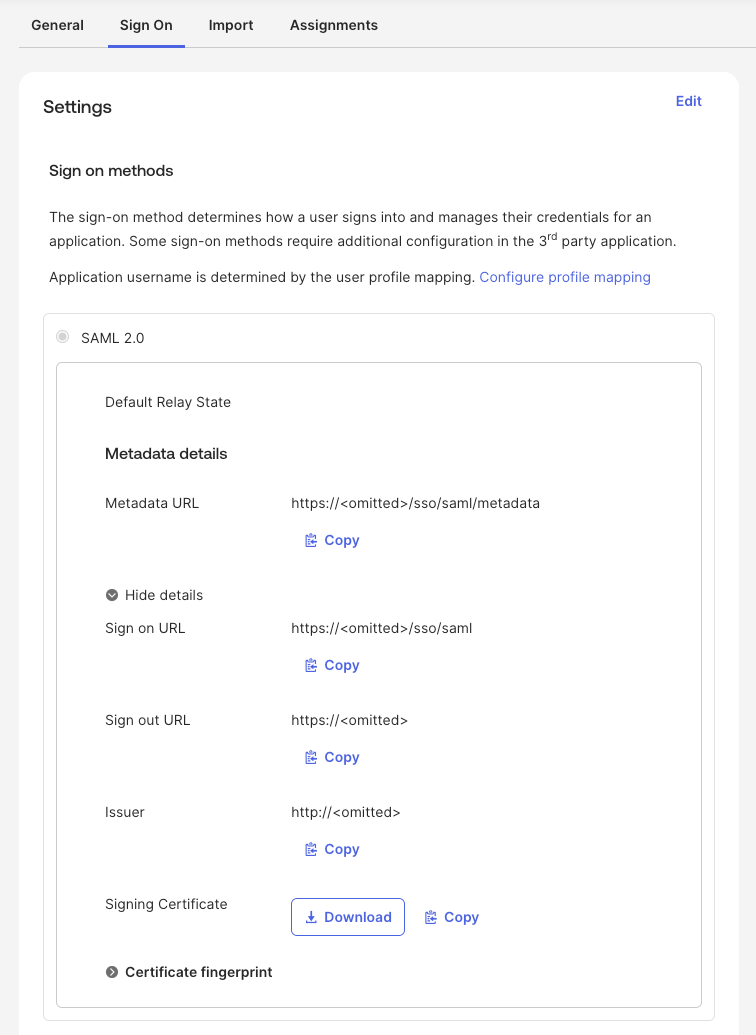
- Make sure to assign the application to the appropriate users or groups in your IdP, so that they will have access to log in to Metasploit Pro using SSO.
- Once you have completed these steps, you can move on to configuring the SAML settings in Metasploit Pro.
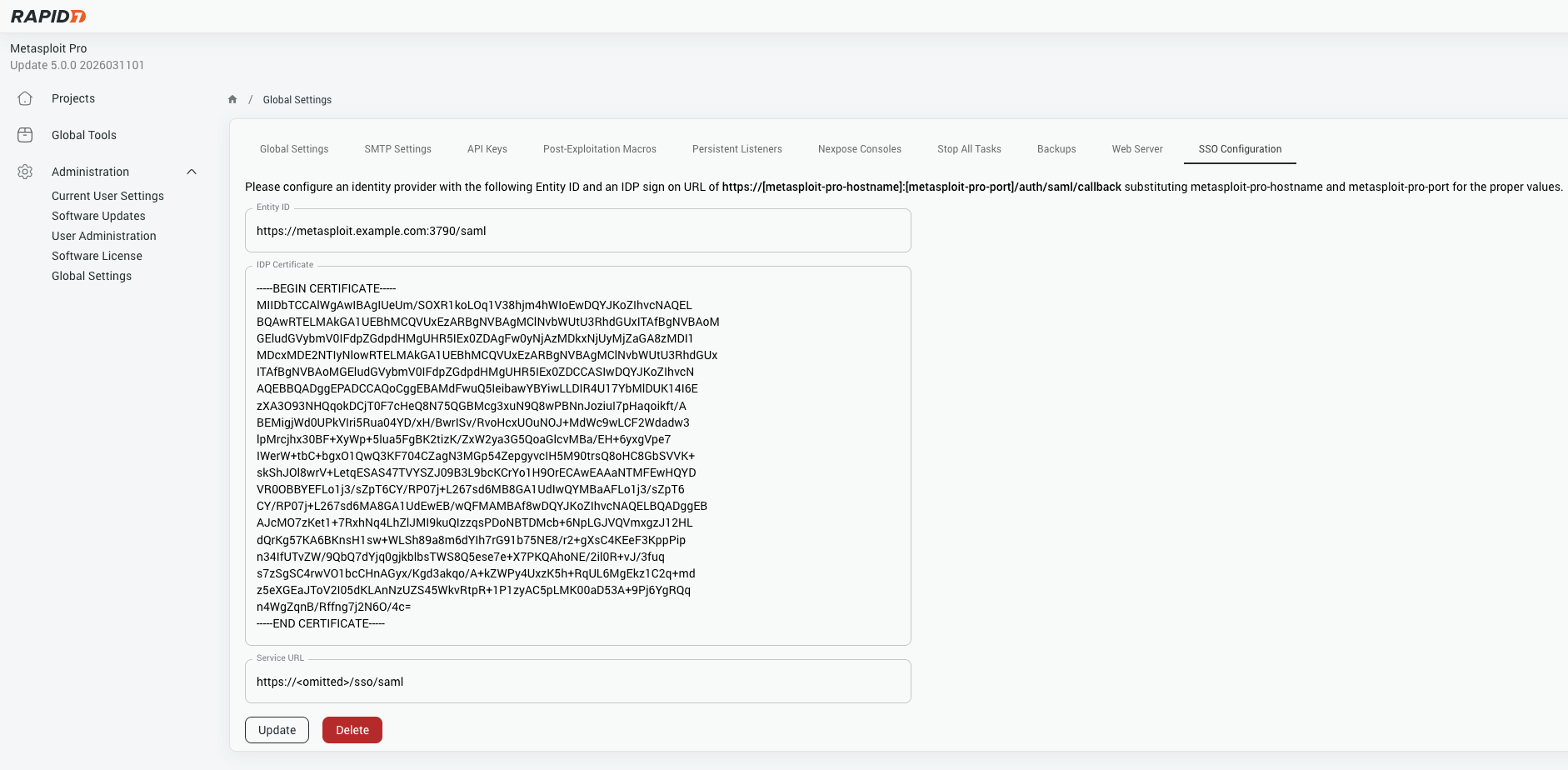
- After filling in the SAML settings in Metasploit Pro, save the settings and test the SSO configuration by attempting to log in to Metasploit Pro using the SSO option. If everything is configured correctly, you should be able to log in successfully using your IdP credentials.