Malleable C2 Profiles
Malleable C2 profiles let you customize the network traffic patterns of Metasploit’s Meterpreter payloads so that the C2 communication blends in with legitimate traffic. Rather than sending traffic that looks like Metasploit, a profile can make beacon requests resemble requests to Reddit, a CDN, or any other common service.
This is particularly useful for evading network intrusion detection systems (NIDS) and other traffic-inspection tools that look for the default HTTP request patterns Meterpreter uses out of the box. By shaping URIs, headers, and body encoding to match expected traffic for a given environment, you can significantly reduce the chance of detection during a penetration test.
The malleable C2 profile format was originally introduced by Cobalt Strike. Metasploit Pro implements a subset of the Cobalt Strike profile language — enough to shape real-world traffic — while accepting (but ignoring) directives it does not implement, so most real Cobalt Strike profiles will load without error.
This feature requires Metasploit Pro version 5.1 or later.
Supported Payloads
Malleable C2 profiles apply to reverse HTTP/HTTPS Meterpreter payloads. Some examples of supported payloads:
windows/meterpreter_reverse_http/windows/meterpreter_reverse_httpswindows/x64/meterpreter_reverse_http/windows/x64/meterpreter_reverse_httpswindows/meterpreter/reverse_http/windows/meterpreter/reverse_httpslinux/x64/meterpreter_reverse_http/linux/x64/meterpreter_reverse_https(and other Linux architectures)php/meterpreter_reverse_http/php/meterpreter_reverse_httpspython/meterpreter_reverse_http/python/meterpreter_reverse_httpsjava/meterpreter_reverse_http/java/meterpreter_reverse_https
Accessing Malleable Profiles Malleable profiles are managed from the Malleable Profiles page. To access it, select Modules > Malleable Profiles from the workspace tab bar.
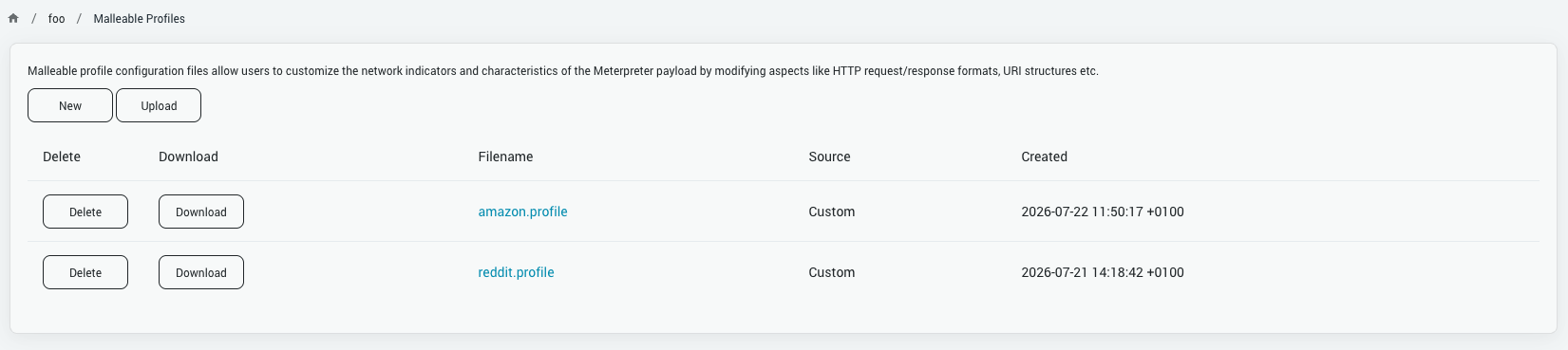
The page lists all available profiles in two groups:
- Custom — profiles you have uploaded or created within Metasploit Pro. These can be edited, downloaded, and deleted.
- Framework — profiles bundled with the Metasploit Framework. These are read-only and can be downloaded but not modified.
Creating a New Profile
To write a profile from scratch, click the New button on the Malleable Profiles page.
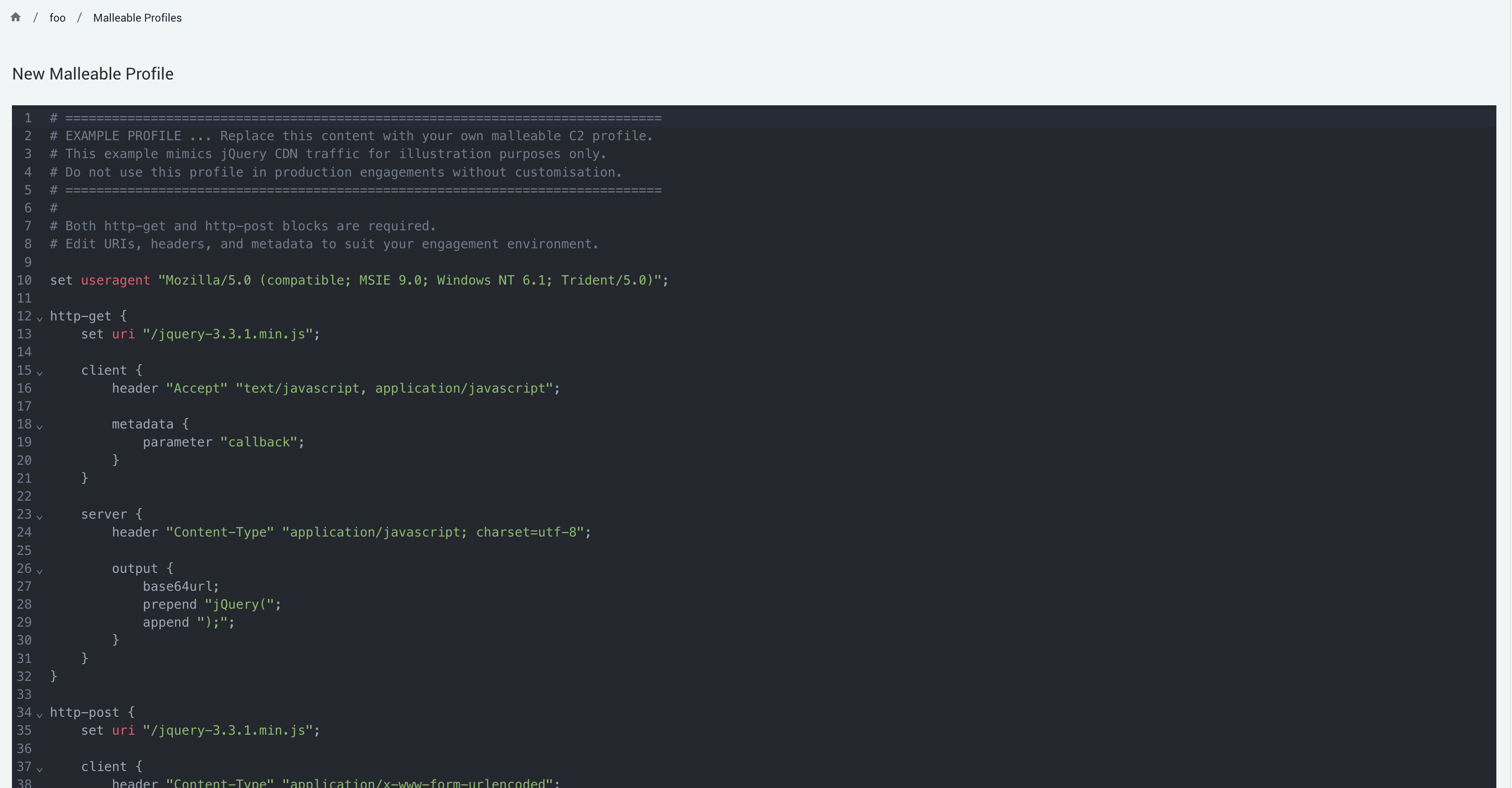
- Write or paste your profile content into the editor.
- Click Save Profile.
- Enter a Filename for the profile (e.g.
my-profile.profile).
Metasploit Pro validates the profile content before saving. The profile must:
- Not be empty.
- Contain both a
http-getblock and ahttp-postblock.
If validation fails, an error message will appear and the file will not be saved.
Uploading an Existing Profile
If you already have a .profile file, click Upload on the Malleable Profiles page and select the file.
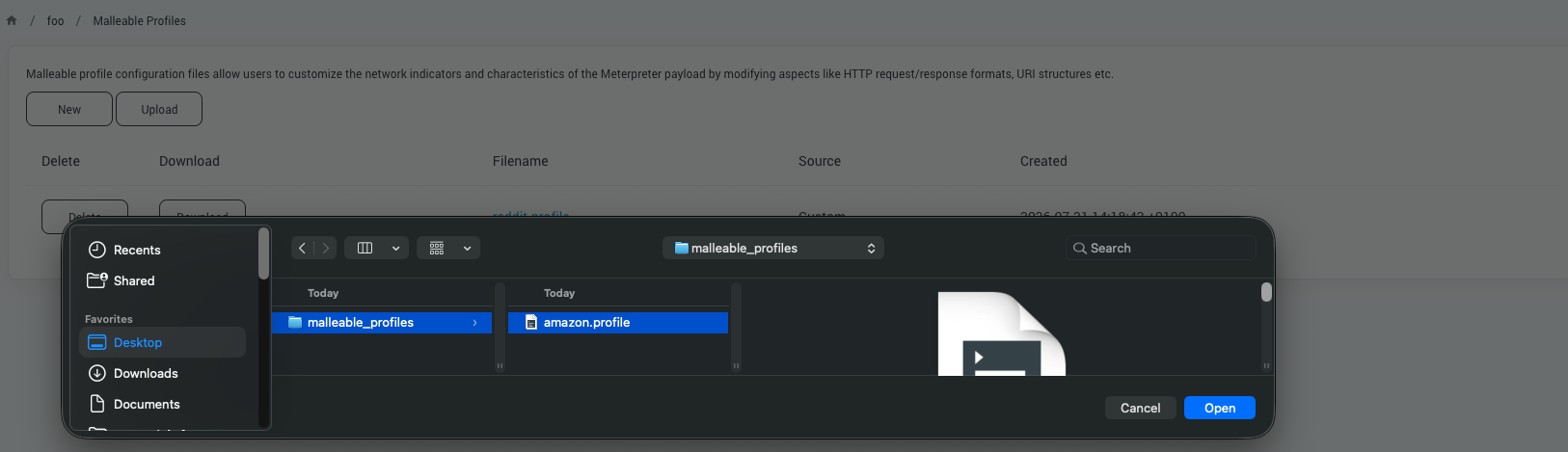
The same validation rules as above apply here as well.
Viewing and Editing a Profile
Click any profile filename in the list to open a page containing the profile contents. Custom profiles can be edited via the built-in editor. Framework profiles open in read-only mode and cannot be edited.
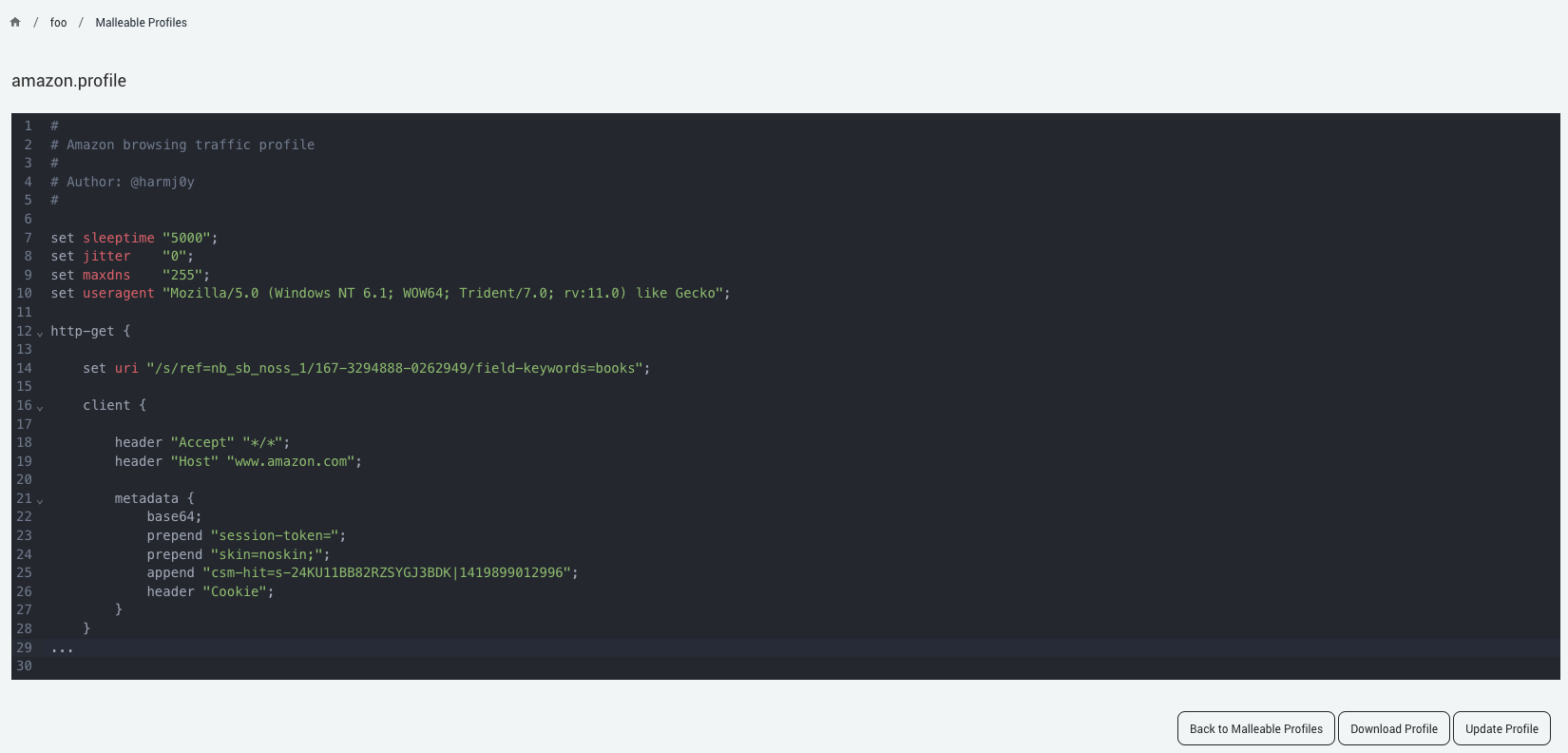
To update a custom profile, make your changes in the editor and click Update Profile. The same validation runs before the file is written.
You can click Download Profile on any profile (custom or framework) to save a copy of the file locally.
Using a Profile with a Listener
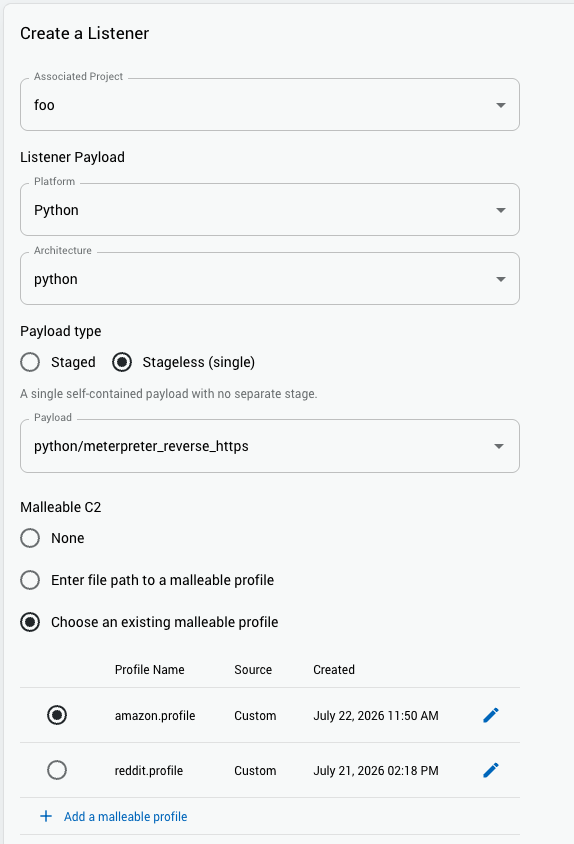
Malleable C2 profiles are applied when configuring a listener. Both the listener and the generated payload must use the same profile — the listener uses it to shape its HTTP responses and recognize the expected request patterns, and the payload uses it to shape the requests it sends.
To attach a profile to a listener in Metasploit Pro:
- Navigate to Global Settings -> Persistent Listeners -> New Listener.
- Select a reverse HTTP or HTTPS Meterpreter payload.
- In the Malleable C2 Profile section, choose one of the available options:
- None — no profile; Meterpreter uses its default traffic patterns.
- Choose an existing malleable profile — select from the profiles listed in your Malleable Profiles page.
- Enter file path to a malleable profile — specify an absolute path to a
.profilefile on the Metasploit Pro server’s filesystem.
Using a Profile with an Exploit Module
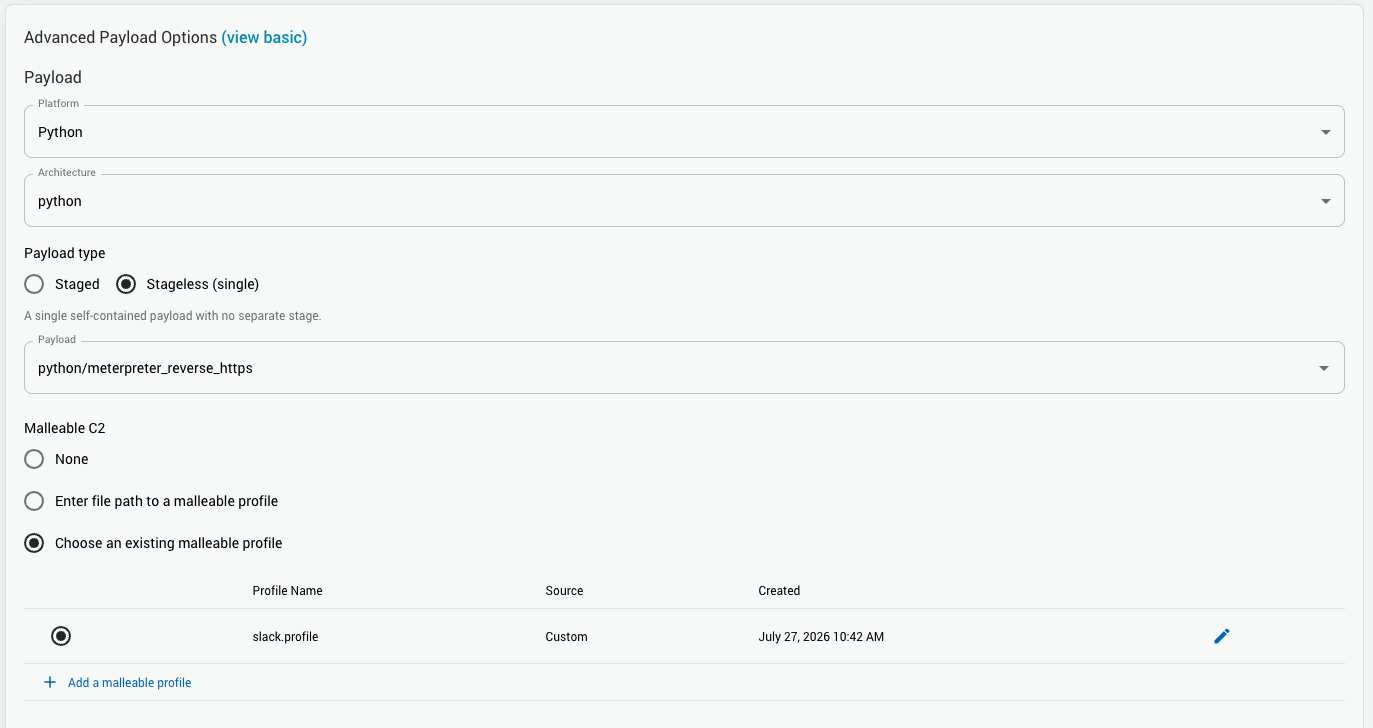
Malleable C2 profiles can also be applied when running individual exploit modules through the Single Module Run interface, not just standalone listeners. This lets you shape the Meterpreter C2 traffic for sessions opened by an exploit, the same way you would for a dedicated listener.
To configure a module with a Malleable C2 profile, navigate to the Advanced Payload Options. The options are the same as on the listener configuration:
- None — no profile; Meterpreter uses its default traffic patterns.
- Choose an existing malleable profile — select from the profiles managed on your Malleable Profiles page.
- Enter file path to a malleable profile — specify an absolute path to a
.profilefile on the Metasploit Pro server.
Profile Syntax
A malleable C2 profile is a plain text file consisting of set key "value"; statements and named { } blocks. Line comments use # and string escapes follow C conventions (\r, \n, \t, \", \\, \xNN).
A minimal valid profile that satisfies Metasploit Pro’s requirements looks like this:
set useragent "Mozilla/5.0 (Windows NT 10.0; Win64; x64) AppleWebKit/537.36";

http-get {
    set uri "/updates/check";

    client {
        header "Accept" "application/json";

        metadata {
            base64url;
            parameter "v";
        }
    }

    server {
        header "Content-Type" "application/json";

        output {
            base64;
            prepend "START_";
            append "_END";
        }
    }
}

http-post {
    set uri "/updates/report";

    client {
        header "Content-Type" "application/octet-stream";

        id {
            base64url;
            parameter "uid";
        }

        output {
            base64;
        }
    }

    server {
        header "Content-Type" "text/plain";
    }
}
With this profile, GET check-ins go to /updates/check?v=<session-id> and POST data goes to /updates/report?uid=<session-id> with a base64-encoded body.
Directives Honored by Metasploit Pro
Metasploit Pro implements a subset of the full Cobalt Strike profile language. The following directives actively change the wire traffic:
| Location | Directive | Effect |
|---|---|---|
| Top level | set useragent "value"; | Default User-Agent for all requests. |
| Top level | set uri "value"; | Default URI (space-separated candidates are all registered). |
http-get { } | set uri "value"; | Overrides the URI for GET requests. |
http-post { } | set uri "value"; | Overrides the URI for POST requests. |
http-get/http-post → client { } | set useragent "value"; | Overrides User-Agent for that verb only. |
http-get/http-post → client { } | header "Name" "Value"; | Adds an HTTP header to the payload’s outgoing request. |
http-get → client { } → metadata { } | parameter "name"; | Carries the session ID as a query-string parameter. |
http-get → client { } → metadata { } | header "name"; | Carries the session ID in a request header. |
http-post → client { } → id { } | parameter "name"; / header "name"; | Same as above, for POST requests. |
metadata { } / id { } | prepend "value"; / append "value"; | Wraps the encoded session ID with a literal prefix/suffix. |
metadata { } / id { } | base64; / base64url; | Encodes the session ID before placement. |
http-post → client { } → output { } | base64; / base64url; | Encodes the POST request body. |
http-post → client { } → output { } | prepend "value"; / append "value"; | Wraps the POST request body with a literal prefix/suffix. |
http-get/http-post → server { } | header "Name" "Value"; | Adds an HTTP header to the listener’s response. |
http-get → server { } → output { } | base64; / base64url; | Encodes the GET response body. |
http-get → server { } → output { } | prepend "value"; / append "value"; | Wraps the GET response body with a literal prefix/suffix. |
Directives Parsed but Not Honored
The parser accepts the full Cobalt Strike profile syntax so that real-world profiles load without errors. The following are recognized but have no effect on Metasploit Pro’s traffic:
Blocks ignored at runtime:
https-certificate— SSL configuration is controlled by the handler’s own SSL options, not the profile.stage,http-stager— staging-related blocks; Metasploit’s staging behavior is not shaped by the profile.transform-x64,transform-x86— binary transform blocks.- Any other unrecognized block (e.g.
dns-beacon,process-inject,post-ex).
Directive keywords accepted but not acted on:
add, dns, encode_hex, hostport, mask, netbios, netbiosu, print, remove, string, stringw, strrep, transform, unset, uri-append, uri-query, xor
Notably, print; — common in real Cobalt Strike profiles inside output { } blocks — is accepted but does nothing. Only base64, base64url, prepend, and append inside output { } blocks affect how Metasploit encodes or wraps data.